

One reliable contact history
Companies, people, conversations and next actions stay connected and visible to the team.
A clearer workflow for growing relationships
MiraContact brings your companies, contacts, UK prospect research and carefully reviewed outreach into one straightforward workspace—so your team can spend less time piecing systems together and more time building useful business relationships.
CRM, UK prospecting and controlled Hunter outreach in one connected view.
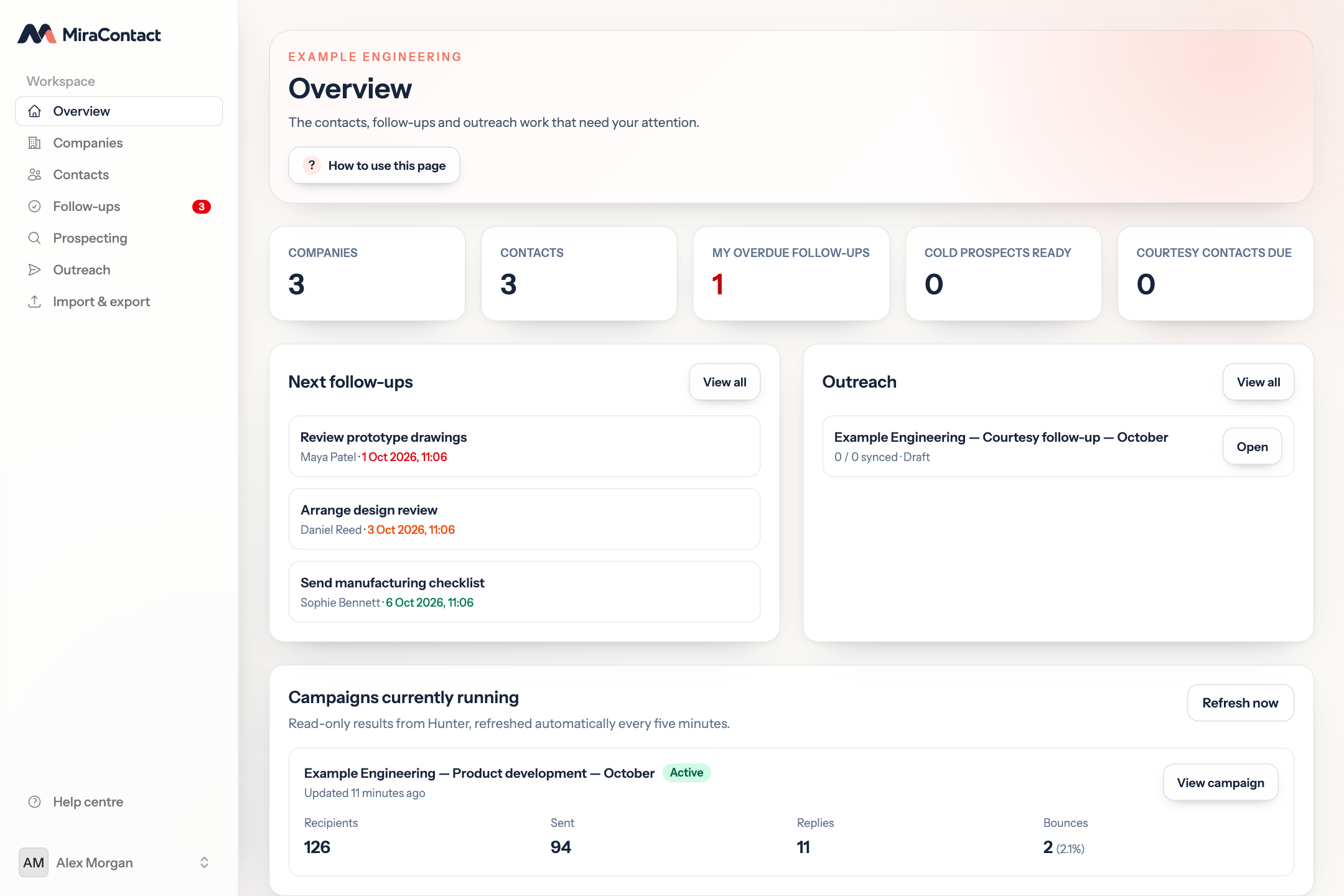
One connected workspace
MiraContact connects day-to-day relationship management with careful prospect research and outreach preparation.
Companies, people, conversations and next actions stay connected and visible to the team.
Screen active UK companies against your own target before using paid contact enrichment.
Review the audience and copy, then create a stopped Hunter draft—never an automatic send.
How it works
Prospecting stays separate from sending. You decide what a good prospect looks like, review the evidence and keep control of what happens next.
Set business keywords, UK locations or postcode areas, SIC codes, explicit exclusions and a target number of named contacts.
Companies House and public website evidence are compared with your target profile before paid enrichment is used.
Suitable owners, directors and managers enter the CRM as cold prospects. Existing records are excluded by default.
Review recipients and two messages, then create a clearly named Hunter draft without starting or sending it.
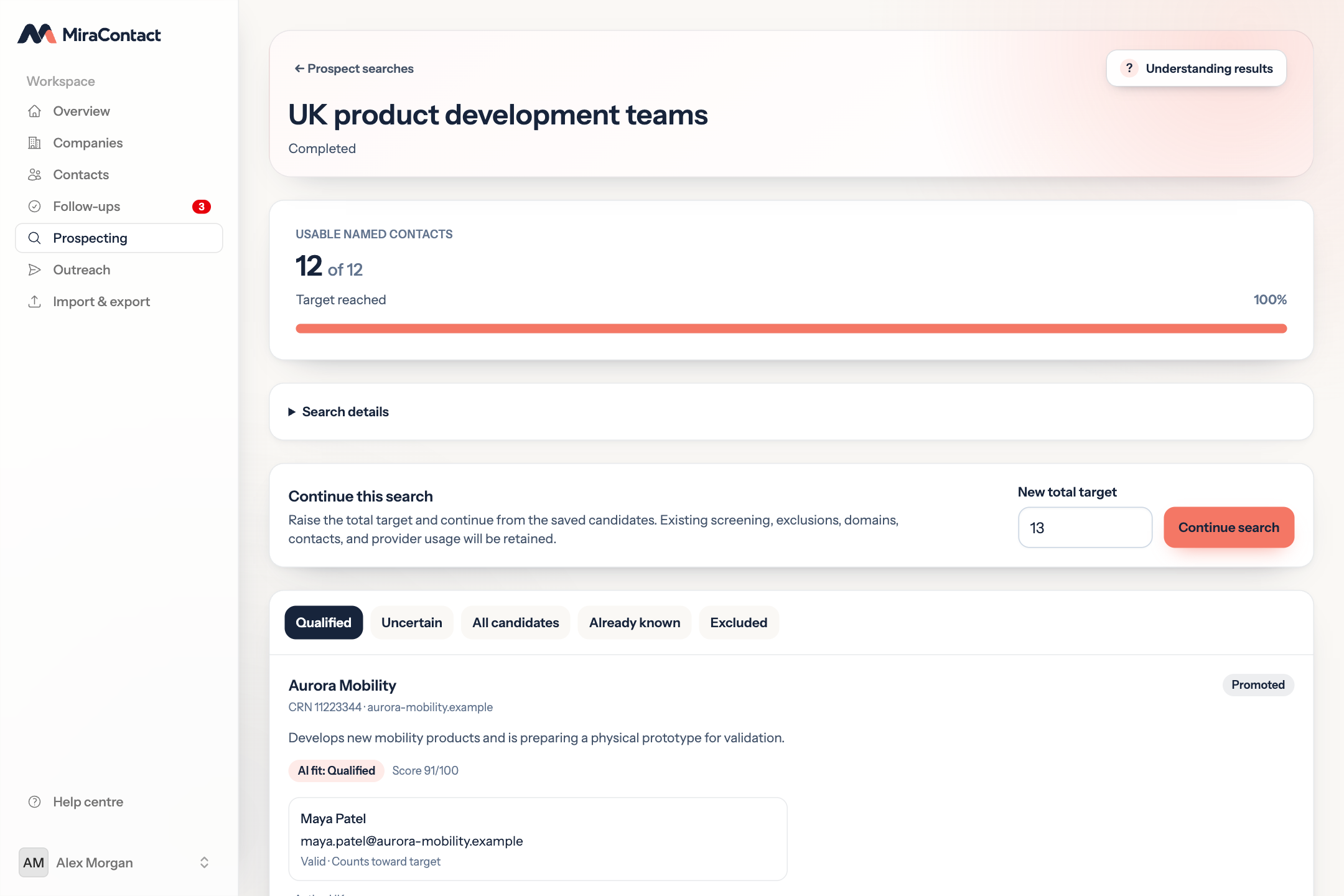
Clear boundaries: AI assists screening rather than guaranteeing suitability. Companies House addresses are stored as registered offices, not assumed trading addresses.
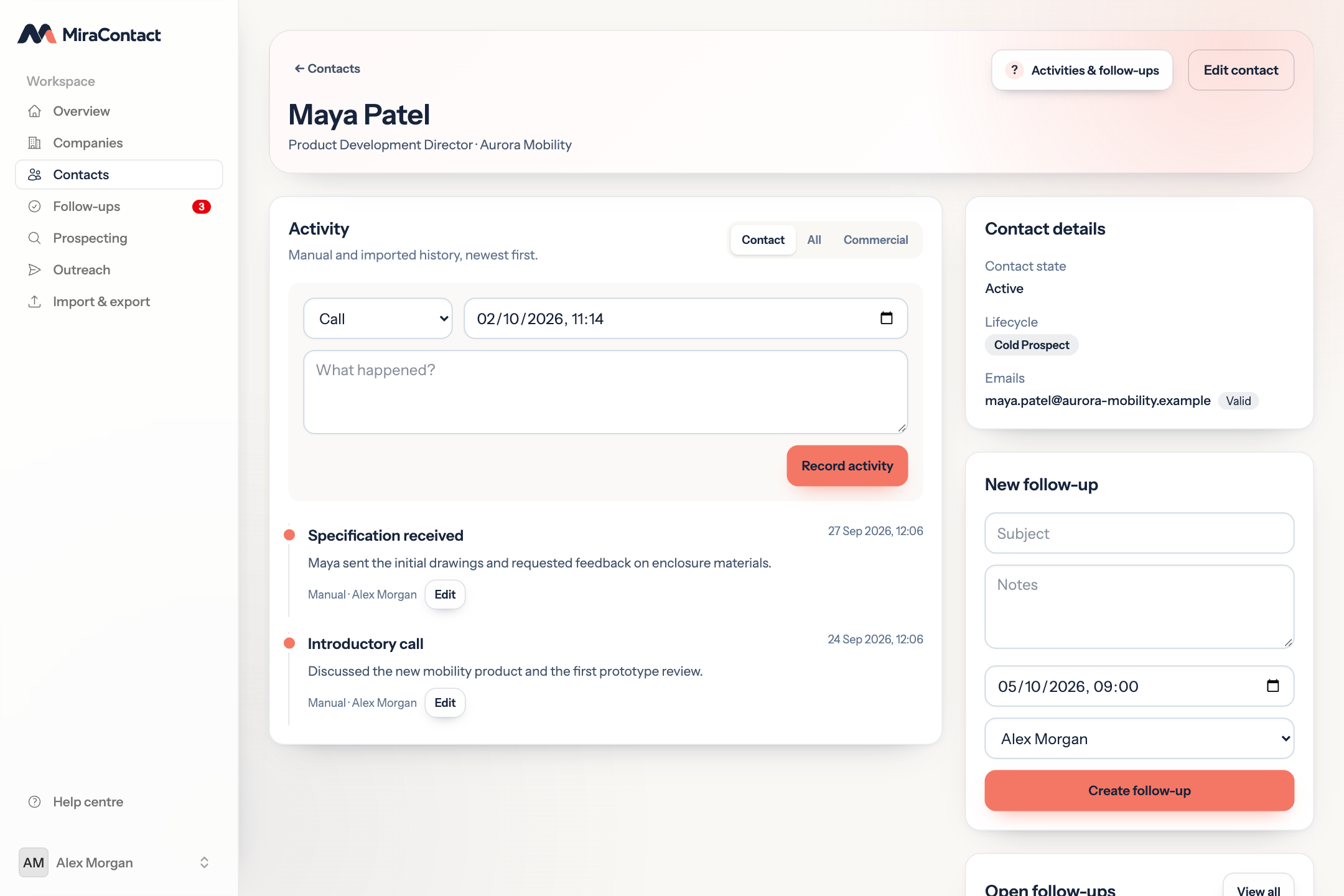
Useful before and after prospecting
Record calls, emails, meetings and useful notes against each contact. Add an owner and due date to every follow-up, then see overdue and upcoming work from the overview.
Controlled outreach
MiraContact applies eligibility and suppression rules before presenting an audience. You review the recipients, opening email and follow-up before a sequence is created in Hunter as a stopped draft.
A matching active Hunter sending account is required. MiraContact does not start, resume or send campaigns automatically.
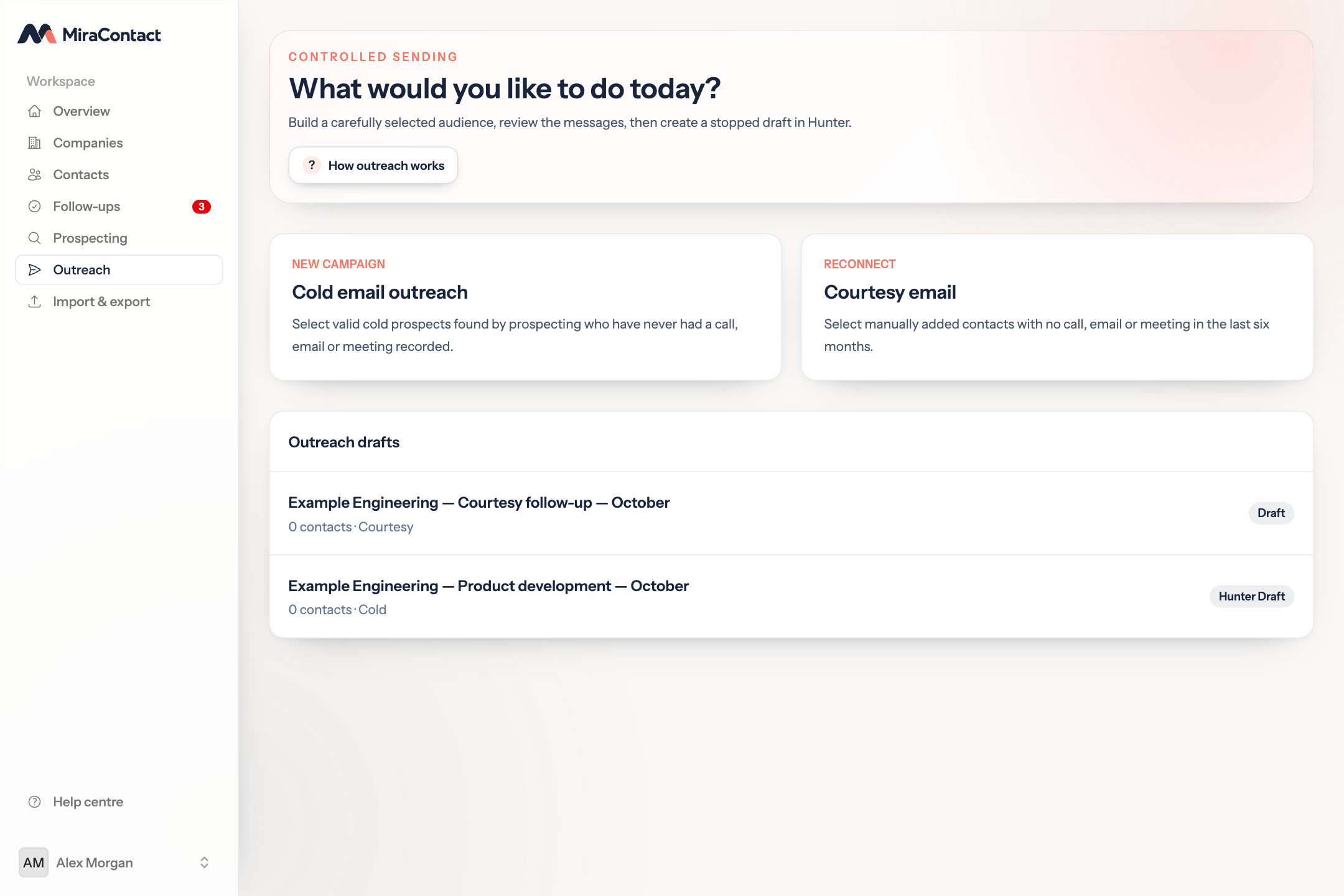
Bring the result back
Sent messages, replies, bounces and unsubscribes become part of the contact history. Running campaign figures remain visible from the overview, while reply analysis can suggest an appropriate follow-up for actionable messages or out-of-office replies.
People remain in control of the relationship, and suppressed addresses stay out of future audience selection.
Move and manage data safely
Map Microsoft Dynamics NAV, CSV or Excel data, then review new records, updates, unchanged rows, errors and possible matches before committing.
Export companies and contacts to XLSX or CSV for Excel, DocuSign, UiPath or another CRM, including when and how each person was last contacted.
Invite owners, administrators and members. Suspend a membership or workspace without deleting its CRM history.
View workspace-attributed Hunter credits and estimated AI token costs, with sterling conversion and VAT estimates kept separate from supplier invoices.
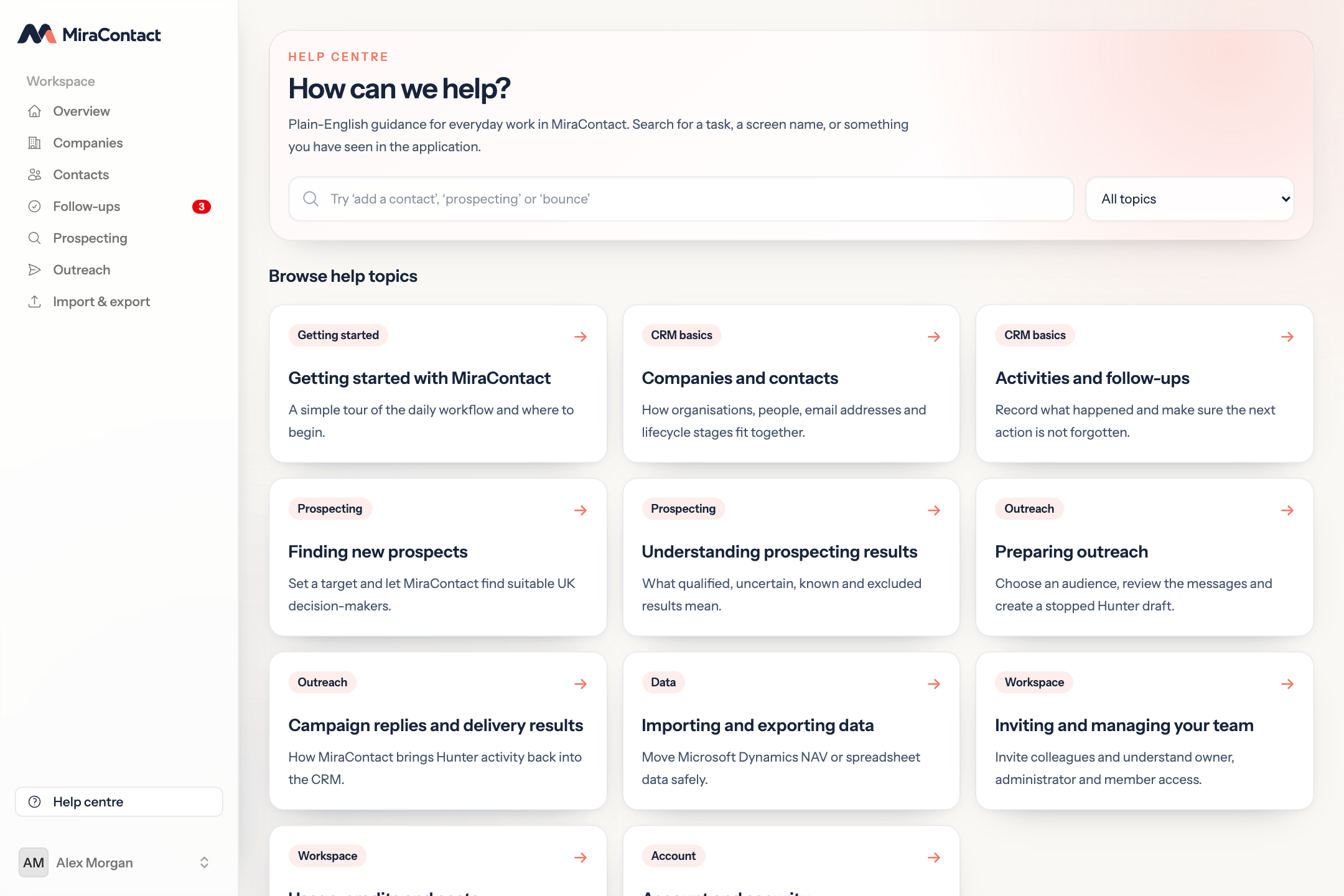
Help where the work happens
Contextual help appears throughout the workflow, backed by a searchable Help Centre covering CRM basics, prospecting, outreach, data movement and workspace management.
No knowledge of APIs, data pipelines or provider terminology is needed to understand the next step.
Simple, direct access
Tell us how you manage contacts, find new customers and prepare outreach today. We’ll discuss whether MiraContact fits your team and explain the available access and pricing options.
Questions, answered
No. MiraContact creates a stopped Hunter draft for review. It does not start, resume or send the sequence automatically.
Yes, at present. MiraContact researches active UK companies through Companies House and supporting public website evidence.
Existing CRM companies and contacts are excluded from new prospect results by default.
Not necessarily. MiraContact explicitly stores it as the registered office, which may be an accountant’s or formation address.
Yes. Mapped CSV or XLSX imports include preview and possible-match review before any changes are committed.
Yes. Workspaces support owner, administrator and member roles, with each customer workspace isolated from the others.
The address is suppressed from future audience selection when that activity is brought back from Hunter.
Yes. Contacts can be added while it remains a draft. If the sequence is no longer a draft, MiraContact protects it and creates a separate stopped wave.
Arrange a demonstration
Tell us how your team manages contacts, follow-ups, prospect research or outreach today. We’ll get back to you to discuss the areas you want to make clearer.
A practical first conversation.
We’ll focus on your current process, show the relevant MiraContact workflow and answer questions about access and pricing.